So, you want to make your own video game, huh? Specifically, a role-playing game? That’s awesome! It might seem like a huge task, but with RPG Maker Free (or one of its versions), it’s totally doable. This article will walk you through the basics, from getting the software set up to making your characters talk and even battling monsters. We’ll cover everything you need to know to start building your very own adventure. It’s a fun process, and before you know it, you’ll have something cool to show off!
Key Takeaways
- Picking the right RPG Maker version is a good first step to get going.
- Making your game world come alive involves careful map design and adding small details.
- Characters, both heroes and side characters, need thought to make your game feel real.
- Events and variables are how you make your game interactive and control what happens.
- Testing your game often and listening to feedback helps make it better before anyone else plays it.
Getting Started with RPG Maker Free
So, you wanna make a game? RPG Maker Free is a good place to start. It can seem like a lot at first, but trust me, it’s not too bad once you get the hang of it. I remember when I first opened it up, I was like, "Whoa, what is all this stuff?" But after a bit of playing around, it started to click. Let’s break it down.
Choosing the Right Version
Okay, so first things first, you gotta pick the right version of RPG Maker. There are a few different ones out there, and they all have their pros and cons. RPG Maker MV is a solid choice for beginners. It’s got a good mix of features and is pretty easy to use. I started with MV, and it was a good learning experience. Just download it and install it, pretty straightforward.
Navigating the Interface
Alright, you’ve got RPG Maker installed. Now, open it up and take a look around. The interface might seem a little intimidating at first, but don’t worry, you’ll get used to it. The key areas to focus on are the map editor, the database, and the event editor. These are the tools you’ll be using the most. Spend some time clicking around and seeing what everything does. Seriously, just mess around with it. You’re not gonna break anything.
Understanding the Database
Okay, the database is where you create and manage all the elements of your game. Characters, items, skills, monsters – it’s all in there. This is where you define the stats for your heroes and villains. It’s important to get this right, because it affects the balance of your game. Take your time and experiment with different settings. You can always change things later if you don’t like them. I spent hours tweaking stats when I first started. It’s kinda fun, actually.
Don’t be afraid to experiment. The best way to learn is by doing. Try different things, see what works, and don’t be afraid to make mistakes. That’s how you learn. And remember, there are tons of resources online if you get stuck.
Here’s a simple table showing some basic database elements:
| Element | Description |
|---|---|
| Characters | Heroes, villains, NPCs |
| Items | Weapons, armor, potions, etc. |
| Skills | Magic spells, special attacks, abilities |
| Enemies | Monsters, bosses |
Here are some things to keep in mind:
- Take your time.
- Experiment with different settings.
- Don’t be afraid to make mistakes.
- Use online resources if you get stuck.
Mapping and World Design
Crafting Engaging Environments
Okay, so you want to make a world people will actually want to spend time in, right? It’s more than just slapping down some tiles. Think about the story you’re trying to tell with each area. Is it a spooky forest? A bustling town? A forgotten ruin? The layout should reflect the feeling you’re going for.
- Consider the player’s journey. Where do they start? Where do they need to go? How do you guide them without making it feel like they’re on rails?
- Use landmarks. A unique tree, a strange rock formation, a broken statue – these things make a place memorable.
- Don’t be afraid to leave empty space. Sometimes, silence speaks louder than a million details.
I remember playing this one game where every single inch of the map was covered in stuff. It was exhausting! I just wanted to get to the next town, but I kept getting caught on random objects. Less is often more, trust me.
Selecting Appropriate Tilesets
Tilesets are your building blocks. Picking the right one is super important. A bright, cheerful tileset won’t work for a dark, gritty dungeon, and vice versa. Make sure the style matches the overall tone of your game. It’s like picking the right font for a document – it sets the mood.
- Think about the setting. Is it fantasy, sci-fi, modern? Choose a tileset that fits.
- Consider the color palette. Do the colors work well together? Are they easy on the eyes?
- Look for variety. A good tileset will have a range of tiles to work with, so you can create interesting and varied environments.
Adding Detail and Atmosphere
This is where you really bring your world to life. It’s all about the little things: the way the light filters through the trees, the sound of the wind, the rustling of leaves. These details can make a huge difference in how immersive your game feels. Think of it like set dressing for a movie.
- Use lighting effects. Shadows, torches, glowing crystals – these can add a lot of atmosphere.
- Add environmental sounds. Birds chirping, water flowing, wind howling – these can really bring a place to life.
- Don’t forget about the small details. Flowers, rocks, puddles, cobwebs – these can make a place feel more real.
Here’s a simple table to illustrate the impact of details:
| Detail | Impact |
|---|---|
| Cobwebs | Suggests age, neglect, or abandonment |
| Puddles | Indicates recent rain or dampness |
| Birdsong | Creates a sense of peace and tranquility |
Character Creation and Development
Characters are what make an RPG memorable. It’s not just about stats; it’s about making them feel real. Let’s get into how to make characters that players will care about.
Defining Heroes and Villains
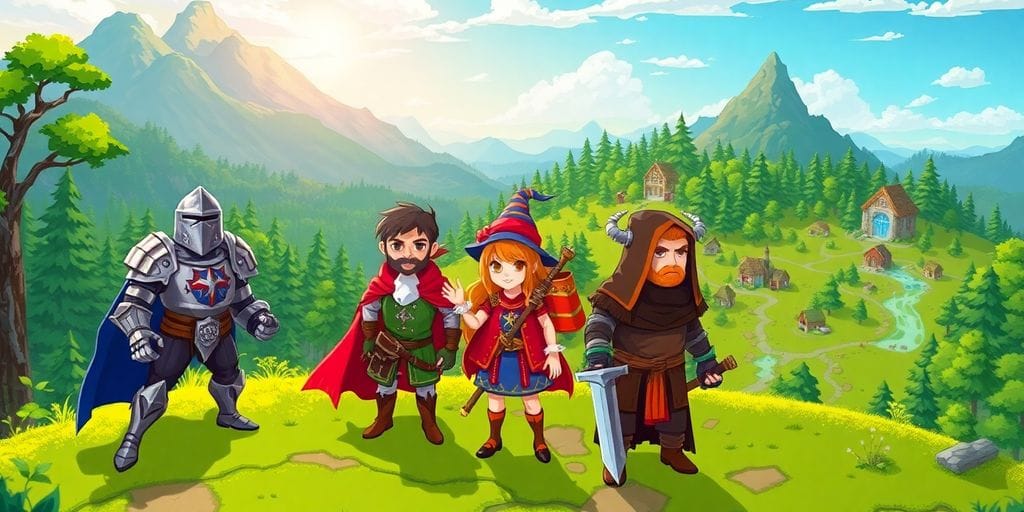
First, you need to figure out who your main characters are. What are their goals? What motivates them? A well-defined character has a clear backstory and purpose. Think about their strengths and weaknesses. A hero who’s always perfect isn’t very interesting. Give them flaws, give them challenges. And don’t forget the villains! A good villain can make a story truly great. What are their motivations? Do they think they’re doing the right thing? Make them complex, not just evil for the sake of being evil.
Designing Visual Representations
Now, how do they look? RPG Maker has built-in tools for creating character sprites and portraits. You can also import your own if you’re feeling creative. Make sure their appearance matches their personality. A shy character probably won’t wear bright, flashy clothes. A strong, confident character might have a more imposing stance. Think about the details. What kind of weapons do they use? What kind of armor do they wear? These things can tell a lot about a character.
Integrating Non-Player Characters
NPCs are the people who fill your world. They might give quests, offer advice, or just add flavor to the environment. Don’t treat them like background noise. Give them personalities, give them stories. Even a simple shopkeeper can be memorable if they have a unique quirk or a funny line of dialogue. Think about how they interact with the main characters. Do they help them? Do they hinder them? Do they have their own agendas?
Remember, every character, big or small, contributes to the overall feel of your game. Take the time to make them interesting, and your players will thank you for it. A good cast of characters can make even a simple story feel epic.
Events and Game Mechanics
Implementing Interactive Events
Events are what make your game world feel alive. They’re how players interact with, well, everything! Think of them as the triggers for actions in your game. You can set up events for conversations, battles, opening chests, or even triggering cutscenes. It’s all about making the world react to the player’s actions.
- Start with simple events, like a character giving the player an item.
- Gradually increase complexity, adding conditions and multiple outcomes.
- Use comments within the event editor to keep track of what each event does.
Utilizing Conditional Branches
Conditional branches are your best friend when you want to add depth and choices to your game. They allow events to play out differently based on certain conditions. For example, an NPC might say one thing if the player has a specific item and something else if they don’t. This is how you create branching storylines and make player choices matter.
- Check for items in the player’s inventory.
- Check the value of variables (more on that below).
- Check if a switch is on or off.
Managing Game States with Variables
Variables are like containers that hold information. They can store numbers, text, or even boolean values (true/false). You can use them to track all sorts of things, like the player’s score, the number of enemies defeated, or whether a certain quest has been completed. Switches are a special type of variable that can only be either on or off. They’re great for tracking whether an event has already happened or whether a certain area has been unlocked.
- Use variables to track the player’s progress.
- Use switches to control the availability of events and areas.
- Update variables and switches based on player actions and choices.
It’s easy to get lost in the details when you’re working with events, conditional branches, and variables. The best approach is to start small, experiment, and don’t be afraid to make mistakes. The more you play around with these tools, the better you’ll understand how they work and the more creative you’ll become.
Testing and Refinement
Conducting Thorough Playtesting
Okay, so you’ve built your world, populated it with characters, and set up some events. Now comes the really important part: testing. Playtesting is where you find out if your game is actually fun and if everything works as intended. Don’t skip this step! It’s easy to get caught up in development and miss obvious problems.
Here’s a simple approach to playtesting:
- Self-Testing: Play through your game yourself, multiple times. Try to break it. Go off the beaten path. See what happens when you do things you’re not supposed to.
- External Testing: Get other people to play your game. Watch them play. Don’t offer help unless they’re completely stuck. Their reactions will tell you a lot.
- Focused Testing: Target specific aspects of your game. For example, focus on combat, dialogue, or puzzle solving. Get feedback on those specific areas.
Testing is not just about finding bugs; it’s about understanding how players experience your game. Do they understand the story? Are the challenges too easy or too hard? Are they having fun?
Identifying and Fixing Issues
So, you’ve done some playtesting and found some problems. Now what? Time to fix them! Here’s a basic process:
- Document the Issue: Write down exactly what happened, where it happened, and what you were doing when it happened. The more detail, the better.
- Reproduce the Issue: Try to make the problem happen again. If you can’t reproduce it, it’ll be hard to fix.
- Isolate the Cause: Figure out what’s causing the problem. Is it a bug in your code? A mistake in your map design? A typo in your dialogue?
- Implement a Solution: Fix the problem. This might involve changing your code, editing your map, or rewriting your dialogue.
- Test the Solution: Make sure your fix actually works and doesn’t create any new problems.
It’s a good idea to keep a bug tracker. This can be a simple spreadsheet or a more sophisticated tool. The point is to keep track of all the issues you find and how you fixed them.
Embracing Feedback for Improvement
Feedback is a gift, even if it doesn’t always feel like it. When people give you feedback on your game, they’re telling you what they like and don’t like. This is incredibly valuable information that can help you make your game better.
Here’s how to handle feedback:
- Listen: Pay attention to what people are saying. Don’t interrupt or get defensive.
- Ask Questions: If you don’t understand something, ask for clarification.
- Be Open-Minded: Consider all feedback, even if you don’t agree with it.
- Prioritize: You can’t fix everything. Focus on the most important issues first.
- Implement Changes: Make changes based on the feedback you receive.
Remember, it’s your game, and you get to decide what to do with the feedback. But be willing to consider other people’s perspectives. They might see things you don’t.
Leveraging Resources and Community
It’s easy to think you need to do everything yourself when making a game, but that’s not true! RPG Maker has a huge community and tons of resources available. Don’t be afraid to use them. The RPG Maker community is a great place to find help, inspiration, and assets for your game.
Exploring Online Tutorials and Forums
There are so many places to find help online. YouTube is full of tutorials, and there are tons of forums dedicated to RPG Maker. These are great for learning specific skills or getting help with a problem you’re stuck on. I remember when I was trying to figure out how to make a custom menu, and I found a tutorial on some random forum that saved me hours of frustration. Seriously, don’t underestimate the power of a good online guide.
Engaging with the RPG Maker Community
Getting involved with other RPG Maker users can be super helpful. Share your work, give feedback on other people’s projects, and just chat about game development. It’s a good way to stay motivated and learn new things. Plus, it’s nice to know you’re not alone in this whole game-making thing. I’ve made some good friends through the RPG Maker community, and we often bounce ideas off each other.
Finding Inspiration and Support
Sometimes, you just need a little push to keep going. Seeing what other people are creating can be really inspiring. And when you’re feeling stuck or discouraged, it helps to have people who understand what you’re going through. The RPG Maker community is full of supportive people who are happy to offer advice and encouragement. Seriously, it’s like a big family of game developers. I’ve definitely had moments where I was ready to give up, but then someone in the community would say something that would make me want to keep going. It makes a difference.
Being part of a community can really change your whole game-making experience. It’s not just about getting help; it’s about sharing your passion with others and building something together. Don’t be shy – jump in and see what it’s all about!
Wrapping Up Your Game Journey
So there you have it, folks! Our step-by-step RPG Maker walkthrough has covered everything from getting started to testing and community engagement. The road to creating your RPG may be long, but with patience and creativity, it’s one of the most fulfilling paths you can take. Whether your aim is to recreate your favorite classic or innovate the genre, you’re now equipped to make those dreams come true. Remember, game-making is a learning process. Each project will teach you new things and sharpen your skills. Don’t rush, enjoy every bit of the journey. Celebrate small victories, like when you finally get that tricky event to work or when your playtesters love a character you designed. In this step-by-step RPG Maker walkthrough, every step counts as part of your creative endeavor. Lastly, always stay playful and curious. Games are meant to be fun, not only to play but also to create. So go ahead, unleash your imagination, and craft worlds where adventures abound. Who knows, your game might be the next favorite among RPG fans. Happy creating!
Frequently Asked Questions
What exactly is RPG Maker?
RPG Maker is a fantastic computer program that lets anyone make their own role-playing games (RPGs) without needing to know complex computer coding. It’s like having a special toolkit to build your own adventure stories with characters, maps, and events, all from scratch.
Where can I get RPG Maker?
You can get RPG Maker from its official website or from online stores like Steam. There are different versions available, some free and some paid, each with its own set of tools and features. Start with a free trial to see if you like it!
Is RPG Maker hard to learn for someone new to game making?
Yes, RPG Maker is designed to be user-friendly, even for beginners. It has a simple drag-and-drop system and clear menus that make it easy to learn. Many people who have never made a game before have successfully created fun RPGs using this software.
Are there resources or communities to help me if I get stuck?
Absolutely! There’s a huge community of RPG Maker users online. You can find forums, YouTube tutorials, and fan-made resources that offer help, tips, and even free game assets like character sprites or music. Connecting with others can really boost your learning and creativity.
What kinds of games can I make with RPG Maker?
While RPG Maker is great for creating many types of games, it’s best known for role-playing games. You can make adventure games, story-driven experiences, and even some puzzle or horror games. However, it’s not really built for fast-paced action games or complex 3D graphics.
What’s the best way to start making my first game?
Making a game takes time and effort, but it’s a very rewarding process. Start with a small, simple idea, and don’t be afraid to make mistakes. Learn one step at a time, experiment with different features, and always test your game as you go along. Most importantly, have fun with it!