Ever felt like you had a cool idea for a picture but couldn’t quite make it happen? Maybe you’re not an artist, or you just don’t have the right tools. Well, things have changed a lot lately. AI graphic generators are here, and they’re pretty amazing. You can basically tell a computer what you want to see, and it makes it for you. It’s like magic, but it’s technology. This guide is all about figuring out how to use these tools to make awesome images, even if you’re just starting out.
Key Takeaways
- AI generated imagery works by having a computer learn from millions of images and then create new ones based on text descriptions you give it.
- There are many free platforms and apps available that let you experiment with creating AI images without spending any money.
- Getting good results from AI image tools means learning how to write clear and detailed instructions, often called ‘prompt engineering’.
- You can add AI image creation to your regular work to make things faster and come up with new ideas more easily.
- These AI tools make creating visuals much simpler for everyone, helping people produce more content and boosting their own creative ideas.
Understanding The Fundamentals Of AI Generated Imagery
The Collaborative Dance Between Human Imagination And Machine Learning
Think of AI image generation as a partnership. You bring the ideas, the vision, and the specific instructions. The AI, on the other hand, brings the ability to interpret those instructions and create something visual. It’s not just about typing a few words and getting a picture; it’s a back-and-forth process where your input guides the AI’s output. This technology works by using complex computer programs that have been shown millions of images and their descriptions. This training allows them to learn connections between words and visual elements.
How Neural Networks Generate Visual Content
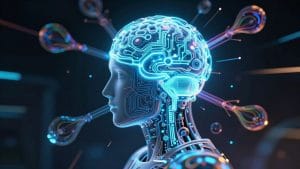
At its heart, AI image generation relies on neural networks, which are computer systems designed to mimic the way the human brain works. When you give an AI a text prompt, like "a cat wearing a hat," the neural network analyzes those words. It breaks down the request into concepts: ‘cat,’ ‘wearing,’ and ‘hat.’ Then, drawing from its massive training data, it starts to construct an image. It doesn’t find a pre-existing picture of a cat in a hat; instead, it builds a new one, pixel by pixel, based on the patterns it has learned. This process is about creation, not retrieval.
Key Technologies: Diffusion Models and GANs
Two main types of technology are commonly used in AI image generators: Diffusion Models and Generative Adversarial Networks (GANs).
- Diffusion Models: These start with a field of random noise and gradually refine it, step by step, to form a coherent image that matches your prompt. They are known for producing highly detailed and creative results.
- GANs: These involve two neural networks working against each other. One network (the generator) tries to create realistic images, while the other (the discriminator) tries to tell if the images are real or fake. This competition helps the generator get better and better at creating convincing visuals.
While the underlying technology can seem complex, the user experience is designed to be straightforward. You provide the text, and the AI does the heavy lifting of interpretation and creation.
Here’s a quick look at how they differ:
| Technology | Core Process | Typical Output Characteristics |
|---|---|---|
| Diffusion Models | Starts with noise and progressively refines it into an image based on a prompt. | Highly detailed, creative, and diverse visuals. |
| GANs | Uses competing networks to generate and validate images. | Often produces photorealistic images, sometimes less varied. |
Exploring Accessible AI Generated Imagery Platforms
Getting started with AI image generation doesn’t require a hefty budget or advanced technical skills. A variety of platforms have emerged, making this powerful technology available to everyone. These tools act as digital canvases, ready for your creative input.
Top Platforms For Generating Images Without Cost
For those looking to experiment without spending money, several excellent options exist. Platforms like Craiyon offer unlimited basic image generations, allowing for quick exploration of ideas. Leonardo.Ai provides a set of daily tokens, which can be used for higher-quality renders and more complex models. Bing Image Creator, powered by DALL-E, is particularly good at understanding detailed prompts and is easily accessible through a web browser. These services are fantastic for prototyping concepts or creating visuals for personal projects.
It’s important to note that most free tiers come with certain limitations. These often include daily usage caps or watermarks on the generated images. However, these constraints are usually manageable for casual use and provide a great way to learn the ropes of AI art creation.
The accessibility of these free platforms democratizes visual creation, allowing individuals and small businesses to produce professional-looking graphics without significant investment.
Mobile Applications For On-The-Go Artistry
If you prefer creating on your smartphone or tablet, there are also mobile apps that bring AI image generation to your fingertips. Many of these apps offer user-friendly interfaces, making it simple to generate images even when you’re away from your computer. Some popular choices integrate with broader design suites, allowing for immediate use of generated images in other projects. Look for apps that offer a good balance of features and ease of use for a smooth mobile experience.
Leveraging Free AI Art Creation Tools
When selecting a free tool, consider what you want to achieve. Are you looking for quick, experimental results, or do you need more control over the output? Some platforms excel at artistic styles, while others are better for photorealism. It’s a good idea to try out a few different ones to see which interface and artistic style best suits your needs. Remember to always check the terms of service regarding usage rights, especially if you plan to use the images for commercial purposes. This ensures you can confidently use your creations.
Here’s a quick look at some popular free options:
- Craiyon: Known for unlimited, straightforward image generation.
- Bing Image Creator: Excellent for prompt interpretation and ease of use.
- Canva’s AI Image Generator: Integrates AI art into a broader design workflow.
- Playground AI: Offers access to Stable Diffusion models with customization options.
Exploring these free AI art creation tools is a rewarding way to begin your journey into AI-generated imagery. Each platform has its own strengths, and experimenting with them will help you discover the best fit for your creative projects.
Mastering The Art Of Prompt Engineering
Crafting the right words is how you get AI to make the images you actually want. It’s like giving directions; the more specific you are, the better the result. This skill, often called prompt engineering, is key to turning a simple idea into a striking visual.
Think of the AI as a very talented but literal artist. It needs clear instructions. Instead of just saying "a car," you might say "a vintage red sports car, parked on a cobblestone street at sunset, with warm, golden light reflecting off the chrome." Adding details about the style, lighting, and mood makes a huge difference.
Here’s a breakdown of what makes a good prompt:
- Subject: What is the main focus of the image? Be precise.
- Style: Do you want it to look like a photograph, a painting, a sketch, or something else? Mention specific art movements or artists if you have a style in mind.
- Setting/Background: Where is the subject located? Describe the environment.
- Lighting & Mood: What kind of light is present (e.g., soft, harsh, natural, artificial)? What feeling should the image evoke (e.g., happy, mysterious, calm)?
- Composition: How should the elements be arranged? (e.g., close-up, wide shot, from above).
- Quality/Details: Specify desired resolution or level of detail (e.g., "high detail," "8K").
The goal is to provide enough information so the AI understands your vision without being so overly complex that it gets confused. It’s a balance between being descriptive and being clear.
For example, let’s say you need an image for an online store selling handmade soaps. A weak prompt might be "soap." A much better prompt would be: "A rustic wooden shelf displaying three bars of artisanal lavender soap, with dried lavender sprigs scattered around. Soft, natural light from a nearby window. Photorealistic style, high detail."
Sometimes, you also need to tell the AI what not to include. This is called a negative prompt. If you keep getting images with watermarks, you might add "no watermarks" to your negative prompt. This helps refine the output and remove unwanted elements.
The more you practice, the better you’ll get at anticipating how the AI will interpret your words and adjusting your prompts accordingly. It’s an iterative process; you might generate an image, see what worked and what didn’t, and then tweak your prompt for the next attempt. This back-and-forth is where the real magic happens, transforming your initial thoughts into stunning visuals.
Integrating AI Generated Imagery Into Your Workflow
Bringing AI image generation into your regular work process can feel like a big step, but it doesn’t have to be complicated. It’s about finding the right tools and figuring out how they fit with what you’re already doing. Think of it less as replacing your current methods and more as adding a powerful new assistant.
A Strategic Approach To Tool Selection
Choosing the right AI image generator is the first real step. You’ll want to look at what you need the images for. Are you making graphics for social media posts, product mockups for a website, or something more artistic for a presentation? Different tools are better suited for different tasks. Some are great for realistic photos, while others excel at creating illustrations or abstract art. It’s also smart to consider how easy the tool is to use and if it can connect with other software you already use, like your content management system or digital asset manager.
Your 3-Step Guide To Getting Started
Getting started with AI image generation can be broken down into a few manageable steps. This approach helps make sure you don’t get overwhelmed and can actually start using the tools effectively.
- Define Your Goals: Before you even look at a tool, know what you want to achieve. What kind of visuals do you need? What problems are you trying to solve with these images? Clear goals will guide your tool selection and prompt writing.
- Pick Your Platform: Based on your goals, research and select an AI image generator. Look at user reviews, try out free versions if available, and check their terms of service, especially regarding commercial use.
- Start Small: Don’t try to change everything at once. Begin with a single project or a small team. This allows you to learn the tool, develop effective prompts, and iron out any kinks before rolling it out more widely.
Best Practices For High-Quality Results
Once you’ve integrated an AI tool, getting consistently good results is key. This often comes down to how you communicate with the AI – essentially, your prompts. A vague prompt will likely lead to a vague image. The more specific you are, the closer the AI can get to your vision.
- Be Descriptive: Include details about the subject, style, colors, lighting, and mood.
- Use Keywords: Think about artistic styles (e.g., "impressionist," "cyberpunk"), camera angles, and resolution.
- Iterate and Refine: Don’t expect perfection on the first try. Adjust your prompts based on the results you get. Sometimes a small change can make a big difference.
A common mistake is to treat AI image generation like a search engine. It’s more like directing an artist. You need to provide clear instructions, context, and feedback to guide the process toward your desired outcome.
It’s also important to be aware of potential issues. For example, keeping generated images consistent with your brand’s look and feel can be a challenge. Developing a library of specific keywords and styles related to your brand can help the AI stay on track. Similarly, if the AI produces generic results, you might need to refine your prompts or explore advanced features like negative prompts to exclude unwanted elements. Addressing these points proactively will make the AI a much more reliable part of your creative process.
The Transformative Impact Of AI Graphic Generators
AI graphic generators are fundamentally changing how we create visual content. They shift the focus from the manual labor of design to the strategic direction of ideas. This technology lets teams produce more visuals, keep their brand looking the same across all materials, and explore new creative paths much faster than before. It’s not about replacing people, but about giving them better tools to be more creative and productive.
Democratizing Digital Creation For Everyone
Before AI, creating professional-looking graphics often required specialized skills, expensive software, and a significant time investment. This meant that only certain people or companies could produce high-quality visuals. AI graphic generators change this by making the process accessible to almost anyone. You can now describe an image in words and have the AI create it for you, regardless of your artistic background. This opens up creative possibilities for small businesses, individual creators, and even those who just have an idea they want to visualize.
Accelerating Content Production With AI
One of the most noticeable effects of AI graphic generators is the speed at which content can be produced. Tasks that used to take days, like generating multiple variations of an advertisement or creating unique illustrations for a blog post, can now be completed in minutes. This rapid turnaround allows for more experimentation and quicker adaptation to changing needs. For example, a marketing team could generate several different social media images for a campaign in a single afternoon, testing which ones perform best.
Here’s a look at how the speed compares:
| Task | Traditional Workflow | AI-Assisted Workflow |
|---|---|---|
| Concept Art Generation | Days | Minutes |
| Marketing Visual Variations | Hours to Days | Minutes |
| Blog Post Illustrations | Hours | Minutes |
Augmenting Human Creativity With AI Tools
AI graphic generators act as powerful assistants, augmenting the capabilities of human creators. They handle the more repetitive or time-consuming aspects of image creation, freeing up designers and artists to concentrate on higher-level conceptualization, strategy, and refinement. This partnership allows for a greater volume of work to be produced without sacrificing quality. It also encourages exploration of styles and ideas that might have been too difficult or time-consuming to pursue manually.
The true power of AI in graphic generation lies in its ability to act as a collaborator. It can quickly produce variations, explore different styles, and bring abstract ideas into visual form, allowing human creators to focus on the narrative, emotional impact, and strategic goals of their work. This synergy leads to more innovative and effective visual communication.
By integrating these tools thoughtfully, creative professionals can expand their output and explore new artistic territories, making the creative process more dynamic and efficient.
Your Creative Journey with AI Imagery
So, we’ve looked at how AI can help make cool pictures from just words. It’s pretty amazing how these tools can take a simple idea and turn it into something visual, fast. Whether you’re trying to make graphics for work or just want to see what your imagination can dream up, AI image generators are now a practical way to do it. Don’t be afraid to try out some of the free options we talked about. Start with a simple text idea, see what the AI makes, and then tweak it. You might be surprised at what you can create. This technology is here, and it’s making visual creation more open to everyone. Give it a go and see where your creativity takes you.
Frequently Asked Questions
What exactly is AI-generated imagery?
Think of AI-generated imagery like a super-smart computer artist. You tell it what you want using words, and it creates a brand-new picture based on your description. It’s like magic, but it’s actually made by computer programs that have learned from tons of other images.
Do I need to be an artist to use these AI tools?
Not at all! These tools are designed to help everyone. You don’t need to know how to draw or paint. All you need is an idea and the ability to describe it. The AI does the hard work of creating the image for you.
Are there free ways to try AI image creation?
Yes, there are many! Lots of websites and apps let you create AI images for free. Some might have limits on how many you can make each day, but they’re perfect for starting out and seeing what cool things you can create.
How do I get the AI to make the picture I want?
It’s all about the words you use, which is called ‘prompt engineering.’ The more details you give the AI – like colors, style, and what’s happening in the picture – the better it can understand and create exactly what you’re imagining. Be specific!
Can I use AI images for my school projects or social media?
Generally, yes! Many AI image generators allow you to use the images you create for personal or even commercial projects. It’s always a good idea to check the specific rules of the tool you’re using, but they’re great for making your projects look amazing.
Will AI replace human artists?
That’s a big question! AI is a tool, like a paintbrush or a camera. It can help artists create new things faster and in different ways. But human creativity, emotion, and unique ideas are still super important and can’t be fully replaced by a machine.