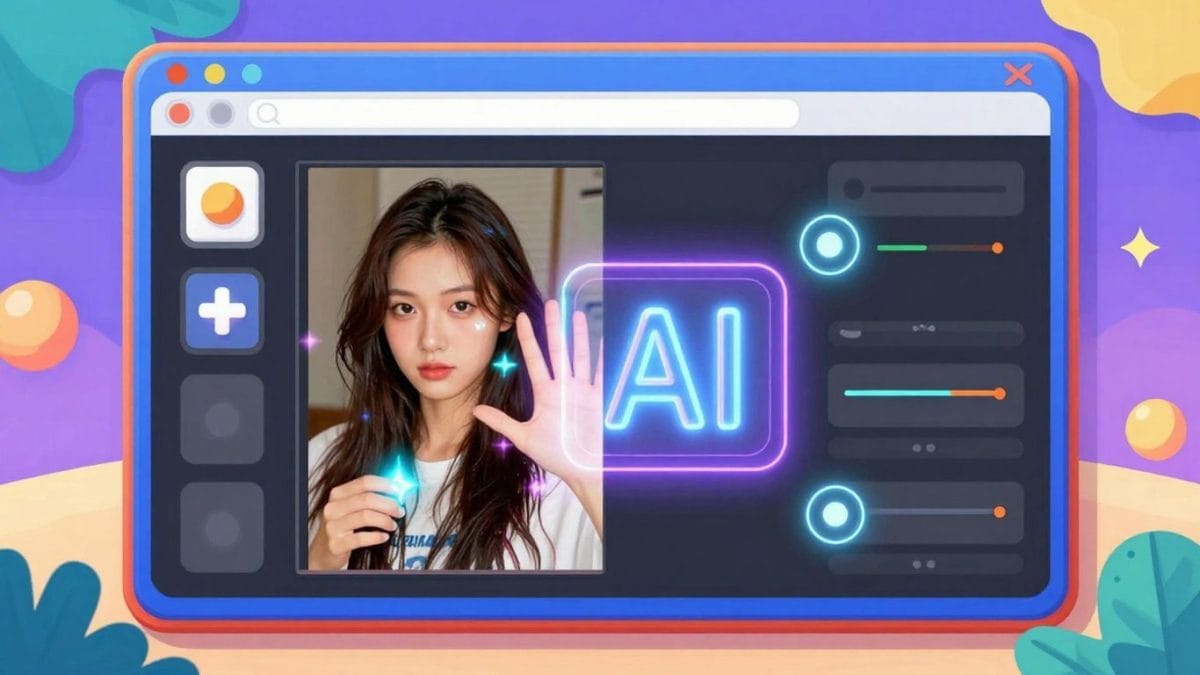
You know, editing photos used to feel like a huge chore. I’d spend ages trying to get things just right, fiddling with sliders and layers, and honestly, it was mostly a mess. But now? There’s this whole new world of AI tools that make it ridiculously simple. We’re talking about an ai images editor that can do so much, so fast. It’s like having a magic wand for your pictures, whether you’re trying to fix a small flaw or completely change the scene.
Key Takeaways
- Boost image quality and fix faded colors with smart AI tools.
- Easily remove or swap backgrounds for a fresh look.
- Turn your photos into cartoons or create art from text descriptions.
- Remove unwanted objects or add new ones using simple text commands.
- Expand image borders and reframe photos without losing detail.
Enhance Your Images With Advanced AI Tools
Sometimes, the photos we take just don’t capture the moment perfectly. Maybe the lighting was a bit off, or the colors didn’t pop like they did in real life. That’s where advanced AI tools come in handy. They can take your existing pictures and give them a serious upgrade, making them look more professional and vibrant.
Improve Image Quality Instantly
Ever look at a photo and think, "It’s good, but it could be better"? AI image quality tools are designed to fix that. They analyze your picture and make automatic adjustments to brightness, saturation, and overall clarity. It’s like giving your photos a quick, smart polish. This means you can get a better-looking image without spending ages fiddling with sliders.
Sharpen Details and Boost Clarity
Blurry photos or images that lack sharp focus can be frustrating. AI can help bring back those fine details. It intelligently sharpens edges and clarifies textures, making subjects stand out. This is particularly useful for portraits where facial features need to be crisp, or for landscapes where you want every leaf and rock to be distinct. You can see a noticeable difference in how clear and defined your images become.
Restore Faded Colors and Contrast
Old photos, or even newer ones taken in less-than-ideal lighting, can suffer from faded colors and low contrast. AI restoration tools can revive these images. They work to bring back the original vibrancy of the colors and adjust the tonal range to give the picture more depth and impact. It’s a way to breathe new life into pictures that might have otherwise been forgotten. This process can make a significant difference, turning a dull image into something quite striking. You can explore many of these capabilities with an online photo editor.
Effortless Background Manipulation
Sometimes the background of a photo just doesn’t work. Maybe it’s too busy, or it distracts from the main subject. Or perhaps you just want to place your subject in a completely different setting. This is where AI-powered background editing comes in handy, making what used to be a complex task incredibly simple.
Remove Photo Backgrounds Seamlessly
Getting rid of a photo’s background used to involve tedious selections and masking, especially with tricky edges like hair. Now, AI tools can do this in seconds. You upload your image, and the AI analyzes it to identify the subject and the background. With a single click, it can isolate your subject, leaving you with a clean image.
- Automatic subject detection: The AI figures out what’s important in your photo.
- Precision on edges: It handles fine details like hair or fur much better than manual methods.
- Speed: What took minutes or hours can now be done in moments.
This is particularly useful for product photos where you want a clean, consistent look, or for creating profile pictures that focus solely on the person.
Replace Backgrounds With Custom Scenes
Once the original background is removed, the real fun begins. You can replace it with almost anything you can imagine. Want to put your product on a clean white surface? Easy. Need to place a portrait against a tropical beach? Done. Some tools even let you describe the background you want, and the AI will generate it for you.
- Pre-set scenes: Choose from a library of common backgrounds like studios, nature, or abstract designs.
- Custom uploads: Use your own images as backgrounds.
- AI-generated backgrounds: Describe your ideal scene, and let the AI create it.
This capability opens up a world of creative possibilities, allowing you to tailor the context of your photos to match your message or brand.
Create Transparent PNGs for Any Use
When you remove a background, you often end up with an image that has no background – this is known as a transparent image. These are typically saved in PNG format. Having a transparent background means you can place your subject onto any other image or design without a solid block of color behind it. It’s like having a sticker you can place anywhere.
- Versatile for design: Use transparent images in collages, presentations, or website layouts.
- Branding consistency: Maintain a clean look for logos or product shots across different platforms.
- Easy integration: Simply drag and drop your transparent PNG into another project.
The ability to create transparent PNGs effortlessly is a game-changer for anyone working with graphics or needing to integrate images into various designs. It removes a significant technical hurdle, making professional-looking results accessible to everyone.
Transform Photos With Creative AI Effects
Sometimes, a simple edit isn’t enough. You want to completely reimagine your photos, giving them a unique look or turning them into something entirely new. This is where creative AI effects come into play, opening up a world of artistic possibilities right at your fingertips.
Convert Photos to Anime and Cartoons
Ever wondered what you’d look like as an anime character or in a classic cartoon style? AI can make that happen. Upload your photo, choose your desired style, and watch as the AI redraws your image with crisp lines, vibrant colors, and that distinctive cel-shaded look. It’s a fun way to create profile pictures or just experiment with different visual aesthetics. You can go from a realistic portrait to a stylized character in just a few clicks, making your photos stand out.
Apply Artistic Filters and Styles
Beyond cartoon conversions, AI offers a vast library of artistic filters. Think of it like having a digital art studio. You can apply effects that mimic famous painting styles, give your photos a vintage feel with sepia tones or black and white, add a soft bokeh blur to focus attention, or even give your images a dreamy, watercolor look. These filters aren’t just overlays; they intelligently analyze your image content to apply the style in a way that looks natural and intentional. It’s a quick way to change the mood and tone of your pictures without needing any artistic skill.
Generate Unique AI Art from Text Prompts
This is where things get really interesting. With text-to-image AI, you can describe almost anything you can imagine, and the AI will generate a completely new image based on your words. Want a "cyberpunk cat riding a bicycle on the moon"? Just type it in. The AI can create everything from photorealistic scenes to abstract digital art, 3D models, and illustrations. It’s a powerful tool for:
- Creating unique artwork for your projects.
- Visualizing concepts that are difficult to photograph.
- Generating custom graphics and backgrounds.
- Exploring imaginative ideas without limitations.
The ability to translate written descriptions into visual art is a significant leap in creative technology. It allows anyone, regardless of their drawing or painting ability, to bring their wildest ideas to life visually. This opens up new avenues for personal expression and professional design work alike.
Intelligent Object and Element Editing
Remove Unwanted Objects and Imperfections
Ever taken a great photo only to find a distracting element ruining the shot? Maybe it’s a stray power line, an uninvited photobomber, or just a bit of litter on the ground. Our AI-powered tools make these blemishes disappear. With a simple selection, the software intelligently analyzes the surrounding area and fills in the gap, making it look like the object was never there. This isn’t just about simple fixes; it can handle complex textures and patterns, reconstructing them with surprising accuracy. The result is a cleaner, more focused image without the need for complicated manual retouching.
Replace Elements With AI-Generated Content
Sometimes, an object isn’t just unwanted, it’s incorrect or needs to be something else entirely. Imagine a product photo where the packaging is slightly off, or a landscape shot where a specific tree just doesn’t fit the mood. Instead of starting over, you can select the element you want to change and let the AI generate a replacement. This could be anything from a different type of flower in a garden to a more suitable item on a table. The AI considers the context of the image to create content that fits naturally, giving you a high degree of creative control.
Add or Modify Objects Using Text Prompts
This is where things get really interesting. You can now add entirely new objects to your photos or modify existing ones simply by describing what you want in text. Need to add a subtle shadow under an object for more depth? Just type it in. Want to place a specific type of bird on a branch? Describe it. The AI interprets your text instructions and generates the corresponding visual element, blending it into the existing image. This opens up a world of possibilities for compositing and creative manipulation, allowing you to bring your imagination directly into your photographs.
Expand and Refine Your Visuals
Sometimes, your photo just needs a little more space, or maybe you want to change its shape entirely. That’s where our AI tools come in handy. They let you go beyond the original borders of your image without losing quality.
Expand Image Borders With AI Outpainting
Ever taken a photo and wished there was more to see? AI outpainting is like magic for your pictures. It looks at what’s already there and intelligently fills in the gaps, creating new scenery or elements that blend right in. This means you can extend a landscape shot to show more of the sky or add more to the sides of a portrait without it looking fake. It’s great for when you need a wider view or just want to see what else might be in the scene.
Reframe Photos for Different Aspect Ratios
Different social media platforms or print sizes need different photo shapes. Instead of just cropping and losing important parts of your image, our AI can help reframe it. It understands the main subject and can intelligently add or extend content to fit new dimensions, like going from a square to a wide banner. This keeps your photo looking complete, no matter the final size.
Uncrop Images While Maintaining Detail
This is similar to outpainting but focuses on bringing back content that was technically outside the original frame. If you uncrop an image, the AI generates plausible details to fill in the newly revealed areas. It’s not just stretching the existing pixels; it’s creating new ones that fit the context. This is super useful for adjusting compositions after the fact or when you realize you cut off something important in the original shot.
Streamline Your Editing Workflow
Editing photos can sometimes feel like a marathon, especially when you have a lot of images to get through. This is where an intelligent AI image editor really shines. It’s designed to cut down on the time you spend tweaking and perfecting, letting you focus more on the creative side. The goal is to get professional-looking results without the usual hassle.
Think about how much time you might save. Instead of adjusting each photo one by one, you can often apply similar edits across a whole batch. This is a game-changer for projects with many photos, like event coverage or product catalogs. It means you can finish your work faster and move on to the next task, or simply enjoy your results sooner.
Here are some ways the workflow gets simpler:
- Batch Editing: Apply the same adjustments, filters, or effects to multiple photos at once. This is incredibly useful for maintaining a consistent look across a series of images.
- Automated Tasks: Many repetitive tasks, like background removal or basic color correction, are handled automatically by AI. You just click a button, and the software does the heavy lifting.
- Quick Presets: Save your favorite editing combinations as presets. Then, you can apply them to new photos with a single click, speeding up your process significantly.
- Intuitive Interface: A well-designed editor makes it easy to find the tools you need. You don’t have to spend hours learning complex menus or hidden features. Everything is laid out logically, making the editing process feel natural.
The right tools can make a big difference. When an editor is built with speed and ease of use in mind, it stops feeling like a chore and starts feeling like a creative partner. This allows for more experimentation and less frustration.
Achieving professional results used to require a lot of technical skill and time. Now, with AI-powered tools, you can get there much more quickly. The software guides you, suggests improvements, and handles the complex calculations, leaving you with the final creative decisions. It’s about making powerful editing accessible to everyone, regardless of their prior experience.
Wrapping Up Your Photo Editing Journey
So, we’ve looked at how AI can really change the way we edit photos. It’s not just about making quick fixes anymore; it’s about opening up new creative paths that were hard to get to before. Whether you’re trying to make your product photos look better for online sales, or just want to make your vacation pictures pop, these AI tools are making it simpler. You can remove unwanted things, change backgrounds, or even turn your pictures into something totally different, all without needing to be a pro designer. It feels like the future of editing is here, and it’s more accessible than ever for anyone who wants their images to look their best.
Frequently Asked Questions
What exactly is an AI image editor?
An AI image editor uses smart computer programs, called artificial intelligence, to help you make your photos look better. It can do things like fix blurry pictures, change backgrounds, or even turn your photos into cartoons, all with very little effort from you.
Can I really change the background of my photos easily?
Yes! Most AI editors have a tool that can automatically find and remove the background from your picture. You can then put a new background in, like a beach scene or a plain color, or make it totally see-through so you can use it anywhere.
What kind of creative things can AI do with my photos?
AI can get really creative! It can make your photos look like anime or cartoon drawings, apply cool artistic styles, or even create completely new images just from a text description you type in. It’s like having a magic paintbrush.
How does AI help fix small problems in my pictures?
If there’s something in your photo you don’t like, like a trash can or a distracting person, AI can often remove it. You just point it out, and the AI cleverly fills in the space so it looks like that thing was never there.
Can I make my photos bigger or change their shape?
Absolutely. AI tools can ‘outpaint’ your images, meaning they can add new scenery or details beyond the original edges, making the picture wider or taller. This is great for fitting photos into different sizes, like for social media.
Is this hard to use, especially if I’m not a pro photographer?
Not at all! These AI editors are designed to be super easy to use. They have simple buttons and clear instructions, so even if you’re just starting out, you can make your photos look amazing quickly without needing to learn complicated techniques.