Making videos used to be a big hassle, right? You’d spend ages fiddling with complicated software, trying to get everything just right. But now, there’s Invideo AI, and it’s changing things up. It uses artificial intelligence to help you put together videos way faster, turning your ideas into something you can actually share without pulling your hair out. We’re going to look at what this in video ai tool can do and if it’s the right fit for you.
Key Takeaways
- Invideo AI simplifies video creation using artificial intelligence, making it easier for anyone to produce videos.
- It can turn text or ideas into videos, generate scripts, and provides access to stock media and AI voiceovers.
- The workflow involves inputting content, AI analysis and scene generation, followed by user review and customization.
- This tool is helpful for marketers, content creators, educators, small businesses, and beginners.
- Compared to other tools, Invideo AI focuses on text-to-video generation with a user-friendly approach, while specialized tools might focus on avatars or content repurposing.
Understanding Invideo AI: The Future of Video Creation
Revolutionizing Content Creation with Artificial Intelligence
Creating videos used to take a lot of time and skill. You’d need to learn complicated software, spend hours editing, and hope it all looked good in the end. But things are changing fast. Artificial intelligence is stepping in to make video creation much simpler. Invideo AI is at the forefront of this change, offering a new way to bring your ideas to life on screen. It’s like having a creative assistant that understands what you want and helps you make it happen without all the usual headaches.
Transforming Ideas into Engaging Videos Effortlessly
Think about having a great idea for a video, maybe for your business or a personal project. Normally, turning that idea into a finished video involves many steps: writing a script, finding pictures or video clips, recording a voiceover, and then putting it all together. Invideo AI changes this by using AI to do a lot of the heavy lifting. You can give it your text, like a blog post or a simple description, and it will start building a video for you. It picks out relevant visuals and even suggests how to put scenes together. This means you can focus more on the message you want to send and less on the technical side of making a video.
Democratizing Video Production for Everyone
Before tools like Invideo AI, making professional-looking videos was often out of reach for many people. It required expensive software, powerful computers, and specialized knowledge. Now, with AI-powered platforms, video creation is becoming accessible to a much wider audience. Whether you’re a small business owner trying to reach customers, a teacher creating educational material, or someone just starting out with online content, Invideo AI lowers the barrier to entry. It provides a user-friendly way to produce videos that can help you connect with your audience, share information, and tell your story effectively. The goal is to make video creation something anyone can do, regardless of their technical background.
Key Features That Power Invideo AI
Seamless Text-to-Video Transformation
This is the core of what Invideo AI does. You can take your written content, like a script or even just a few bullet points, and the AI will work to turn it into a video. It breaks down your text into different scenes and finds visuals that seem to fit what you’ve written. It’s like having a video editor who understands your words.
AI-Assisted Script Generation and Brainstorming
Sometimes, the hardest part is just getting started. If you’re not sure how to begin, Invideo AI can help. You can give it a topic, and it can help you come up with ideas and even write a basic script for your video. This makes the beginning stages of making a video much less difficult.
Extensive Library of Stock Media and Music
Finding the right pictures and video clips can take a lot of time. Invideo AI gives you access to millions of royalty-free photos and videos right within the platform. You can also pick from a large collection of music tracks to add to your video. This means you don’t have to search all over the internet for these assets.
Realistic AI Voiceover Options
To make your videos more engaging, you can add a voiceover. Invideo AI offers several AI voice options in different languages and accents. You can even adjust how fast the voice speaks and its tone to better match your video’s feel.
While the AI handles much of the heavy lifting, remember that these tools are designed to assist, not completely replace, human creativity. The best results often come from a collaboration between the AI’s capabilities and your own creative direction.
Here’s a quick look at what you get:
- Text Input: Provide scripts, articles, or ideas.
- Visual Selection: AI suggests relevant stock photos and videos.
- Audio Options: Choose from AI voices and a music library.
- Scene Breakdown: Content is automatically divided into video scenes.
The Invideo AI Workflow: From Concept to Completion
Creating a video with Invideo AI is designed to be a straightforward process, moving from your initial idea to a finished product without needing to be a video editing expert. It’s built to simplify things, letting you focus on the message rather than the technical side of production.
Inputting Your Content and Ideas
The journey begins with your input. You can start by providing the text you want to turn into a video. This could be a script you’ve already written, a blog post you want to adapt, or even just a few key points or a topic you have in mind. The AI is built to understand different forms of input, making it flexible for various creative starting points. The more detail you provide, the better the AI can tailor the initial video to your vision.
AI Analysis and Scene Generation
Once you’ve provided your text or idea, Invideo AI gets to work. Its artificial intelligence analyzes your content, breaking it down into logical segments or scenes. Based on this analysis, it selects relevant visuals from its extensive library of stock photos and video clips. It also determines the best way to present your text, often generating on-screen text overlays that match the spoken content or key messages. This automated process is where the magic happens, transforming raw text into a structured video sequence.
Reviewing, Customizing, and Refining Your Video
After the AI has generated the initial draft, the video is presented to you for review. This is your opportunity to make it truly yours. You can go through each scene, swap out visuals if they don’t quite fit, adjust the timing of text or scenes, and even change the AI-generated voiceover or background music. The platform provides tools to make these customizations without a steep learning curve. The goal is to ensure the final video accurately reflects your message and brand.
While the AI does a lot of the heavy lifting, the human touch is still important. Reviewing the generated content allows you to catch any inaccuracies or areas that could be improved, making the final output more polished and effective for your audience.
Who Benefits from Invideo AI’s Capabilities
Invideo AI is designed to make video creation accessible and efficient for a wide range of users. Whether you’re a seasoned professional or just starting out, this tool can help you produce engaging video content without a steep learning curve.
Empowering Marketing Professionals and Content Creators
For those in marketing and content creation, time is often a scarce resource. Invideo AI helps bridge this gap by automating many of the time-consuming aspects of video production. Marketers can quickly generate social media clips, promotional videos, and explainer content to keep their audiences engaged. Content creators can transform blog posts or articles into shareable video formats, expanding their reach across different platforms. The ability to rapidly produce polished videos is a significant advantage in today’s fast-paced digital environment.
Supporting Educators and Small Business Owners
Educators can use Invideo AI to create dynamic learning materials, presentations, and instructional videos that capture students’ attention. For small business owners, producing professional-looking marketing videos or product demonstrations was once a costly endeavor. Now, with tools like Invideo AI, they can create compelling video content without needing a large budget or specialized staff. This makes professional video production more attainable for businesses of all sizes, offering cost and service-level benefits compared to traditional methods Viddo AI provides cost and service-level benefits for video generation, making it an attractive option for small businesses and independent producers compared to traditional methods.
Making Video Accessible for Beginners
Perhaps one of the most significant benefits of Invideo AI is its accessibility for individuals with little to no prior video editing experience. The platform’s intuitive interface and AI-driven automation mean that users can focus on their message and ideas, rather than getting bogged down in complex software. This democratization of video production allows more people to share their stories and ideas through the powerful medium of video.
- Streamlined Workflow: Input text or ideas, and let the AI handle scene generation and visual selection.
- Customization Options: While AI does the heavy lifting, users can still fine-tune visuals, text, and audio.
- Extensive Resources: Access to a large library of stock media and music simplifies content sourcing.
The platform’s strength lies in its ability to translate simple inputs into visually coherent videos, significantly reducing the time and technical skill required for production.
Comparing Invideo AI to Other Video Generation Tools
The world of video creation tools is getting pretty crowded these days. It feels like every week there’s a new platform popping up, each with its own way of helping you make videos. So, where does Invideo AI fit in? It’s helpful to see how it stacks up against some of the other options out there.
Invideo AI vs. Content Repurposing Specialists
Some tools are really good at taking something you’ve already made, like a blog post or a long webinar, and turning it into a shorter video. Think of tools that focus on grabbing text from an article and making a slideshow-style video with it. Invideo AI can do some of that, but its main strength is creating videos from scratch based on your ideas or scripts. It’s more of an all-around creator than just a repurposing machine.
Invideo AI vs. AI Avatar Focused Platforms
Then you have platforms that specialize in using AI-generated presenters, or avatars, to speak your script. These can be great for certain types of content, like online courses or corporate messages. Invideo AI, however, gives you a much wider range of visual styles. You’re not limited to just a digital person talking; you can create videos with stock footage, your own uploads, and various animated elements.
Invideo AI vs. User-Friendly Social Media Tools
There are also many tools designed specifically for making quick videos for social media. They often have lots of templates and are super simple to use. Invideo AI is also very user-friendly and great for social media, but it often provides access to a larger library of media and more options to tweak things if you want to go beyond the basic template.
Invideo AI vs. Advanced AI Research Platforms
On the other end of the spectrum, you have more complex AI platforms that are often used by researchers or very technical users. These tools can do amazing things with AI and video, but they usually have a steep learning curve and aren’t built for everyday content creators. Invideo AI aims for a balance – using powerful AI but keeping it accessible and practical for people who just want to make good videos without becoming AI experts.
Invideo AI’s sweet spot is its blend of ease of use, broad creative capabilities, and strong text-to-video generation.
Here’s a quick look at how they generally compare:
| Feature | Invideo AI | Content Repurposing Tools | AI Avatar Platforms | User-Friendly Social Tools | Advanced AI Platforms |
|---|---|---|---|---|---|
| Primary Focus | Text-to-video, general creation | Article/webinar to video | AI presenters | Quick social clips | AI research, complex edits |
| Ease of Use | High | High | Medium | Very High | Low |
| Visual Variety | High (stock, uploads, animation) | Medium (template-based) | Low (avatar focus) | Medium (template focus) | High (technical) |
| Customization | Medium-High | Medium | Medium | Medium | Very High (technical) |
| Learning Curve | Low | Low | Medium | Very Low | High |
When choosing a video tool, it’s important to think about what you want to achieve. If you need to quickly turn a blog post into a video, a specialized tool might be best. If you want to create a video with a digital host, look at avatar platforms. But if you want a versatile tool that can help you create a wide range of videos from text or ideas without a lot of technical hassle, Invideo AI is a strong contender.
Getting Started and Maximizing Your Invideo AI Experience
Starting with Invideo AI is simpler than you might think, even if you’ve never made a video before. The platform is built to be easy to use, so you can get your ideas out there without a lot of technical fuss. Think of it like this: you have a story to tell, and Invideo AI is the tool that helps you tell it visually, quickly.
Navigating the Invideo AI Platform
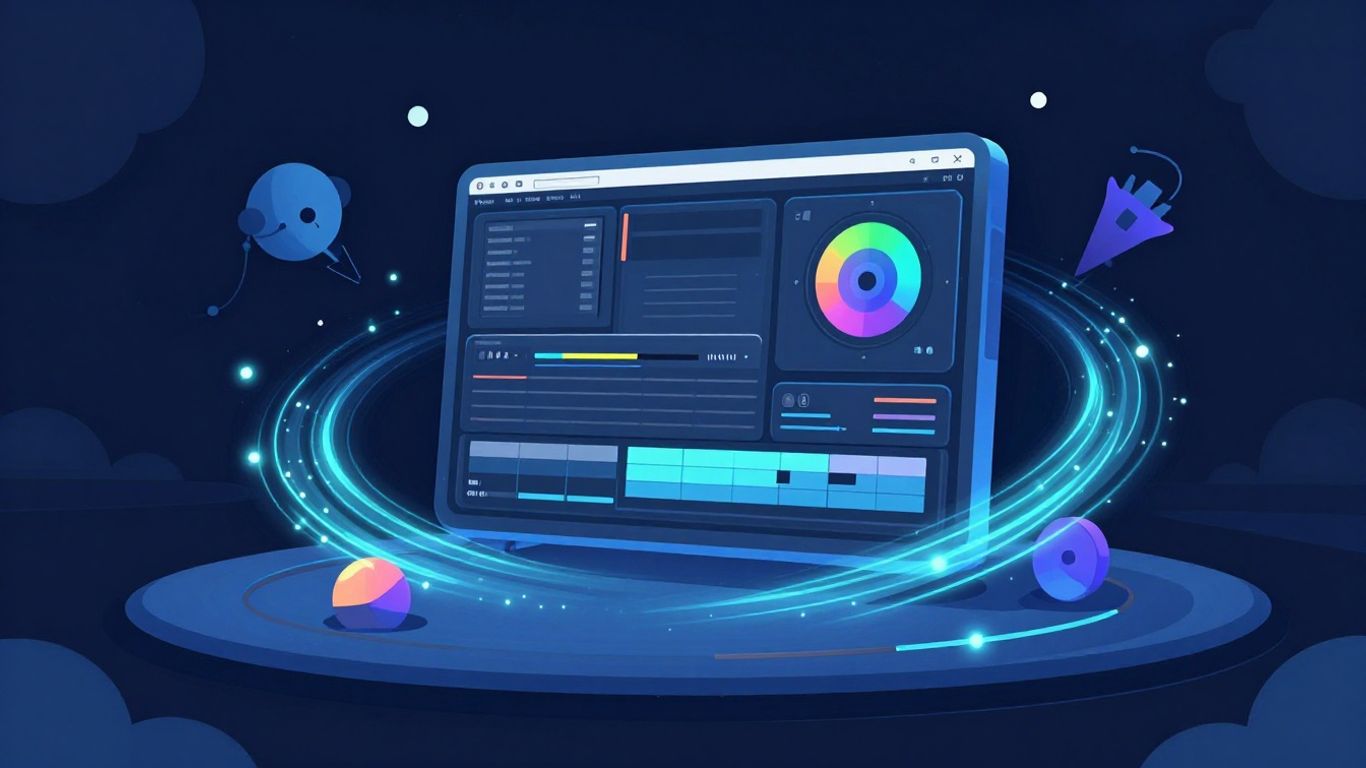
When you first log in, you’ll see a main dashboard. This is your command center. From here, you can start a new project, look at past work, or explore different features. The interface is designed to be clean, so you’re not overwhelmed by options right away. Most of your work will happen in the project creation area.
- Start a New Project: Look for a "Create Video" button. This is your gateway to making something new.
- Explore Templates: Before you start from scratch, check out the templates. They’re pre-made video structures that can give you a head start.
- Access Your Media: You’ll find sections for your uploaded files, stock footage, and music.
The platform guides you through the process. Don’t be afraid to click around and see what everything does. It’s designed for exploration.
Tips for Effective Video Customization
Once the AI generates a first draft of your video, the real fun begins: making it your own. This is where you add your personal touch and make sure the video truly represents your message or brand. The AI does a lot of the heavy lifting, but your input is what makes it special.
- Review Scene by Scene: Go through each part of the video. Does the visual match the text? Is the timing right?
- Adjust Text and Voiceover: You can edit the text that appears on screen and even tweak the AI-generated voiceover. Maybe you want to change a word or adjust the pace slightly.
- Swap Media: If a stock photo or video clip doesn’t feel quite right, swap it out. You have access to a large library, and you can also upload your own.
- Add Branding: Make sure your logo, brand colors, and fonts are included if you’re creating content for a business. This keeps things consistent.
Leveraging Invideo AI for Social Media Success
Invideo AI is particularly good for creating content that performs well on social media. The platform understands that different social networks have different needs, like video length and aspect ratio.
- Format for Platforms: Easily change your video’s size and shape to fit platforms like Instagram Reels, TikTok, YouTube Shorts, or Facebook. The tool often has presets for this.
- Keep it Concise: Social media audiences often prefer shorter, punchier videos. Use the AI to help you condense your message and get straight to the point.
- Engage Quickly: The AI can help select visuals and music that are attention-grabbing from the start, which is key for keeping viewers scrolling.
By following these steps, you can move from having an idea to having a finished video ready for the world to see, all without needing to be a video editing expert. It’s about working smarter, not harder, with the help of AI.
The Takeaway
So, Invideo AI really changes things up when it comes to making videos. It takes a lot of the hard work out of the process, letting you focus more on your message. While it might not replace a professional editor for super complex projects, it’s a fantastic tool for getting videos made quickly and easily. Whether you’re a business owner, a marketer, or just someone with an idea, Invideo AI makes video creation much more approachable. It’s a good sign of where video content is heading.
Frequently Asked Questions
What exactly is Invideo AI?
Invideo AI is a super smart computer program that helps you make videos really fast. You give it some words, like a story or an idea, and it uses artificial intelligence (AI) to put together pictures, videos, and even voices to make a complete video for you. It’s like having a video creation helper that does most of the hard work.
Do I need to be a video expert to use it?
Nope! Invideo AI is made for everyone, even if you’ve never made a video before. The AI does most of the tricky stuff, so you don’t need to know how to use complicated editing tools. It’s designed to be easy and fun for beginners.
Can I make my videos look like my brand?
Totally! You can add your own logos, colors, and fonts to the videos you make. This helps make sure your videos look like they come from your business or personal style, keeping everything looking consistent.
What kinds of videos can I create?
You can make all sorts of videos! Think fun videos for social media like Instagram or TikTok, videos that explain things, commercials for your business, or even videos for school projects. If you have an idea, Invideo AI can probably help you make a video out of it.
What about the voices in the videos?
Invideo AI has cool AI voices that can read your script for you. You can pick different voices, languages, and even change how fast or what tone they speak in. It’s a neat way to add narration without having to record it yourself.
Can I change things after the AI makes the video?
Yes, you can! Even though the AI does a lot, you still get to make changes. You can swap out pictures or video clips, tweak the words, change the music, or adjust how long each part lasts. It gives you control to make the video just right.