
So, you want to get into League of Legends on the EUW server? Good choice! It’s a huge game, and getting started can feel a bit much, especially with all the talk about regions and accounts. But honestly, it’s not that bad. This guide will walk you through everything you need to know to get your league of legends download euw ready and jump into the action without a hitch in 2025. We’ll cover setting things up, dealing with server stuff, and even how to switch regions if you’re already playing somewhere else. Let’s get you ready for the Rift!
Key Takeaways
- League of Legends accounts are tied to specific regions, so picking EUW at the start is important.
- Always get the game from the official Riot Games website to make sure you have the real thing.
- You might need to make a new account or pay to move an existing one if you’re not already on EUW.
- Make sure your computer meets the game’s needs for the best experience.
- Playing the in-game tutorial helps new players understand how the game works.
Understanding League of Legends Regions
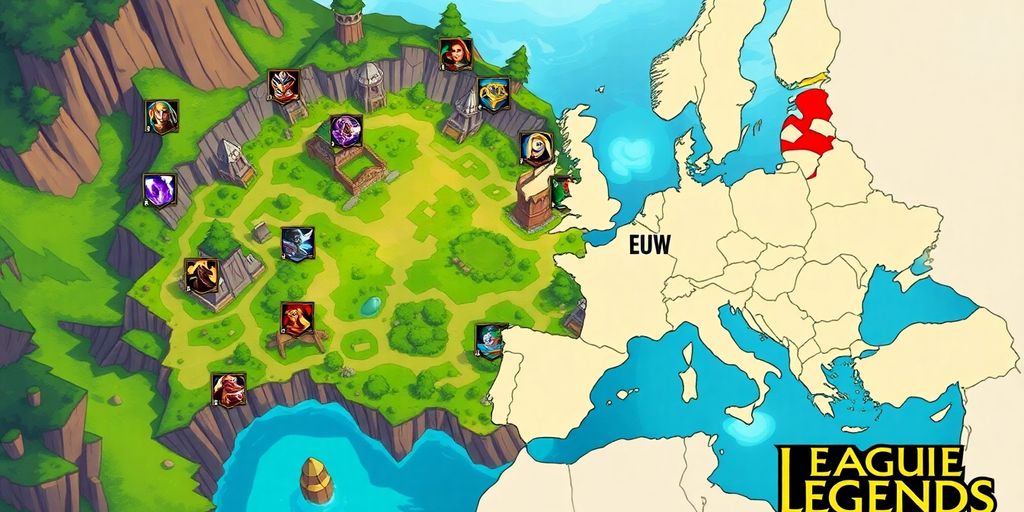
Alright, let’s talk about regions in League of Legends. It’s not just about where you live; it actually affects your gameplay experience. Knowing the ins and outs of regions is pretty important, especially if you’re planning to play on EUW in 2025.
The Concept of Region Locking
So, what’s region locking all about? Basically, Riot Games, the company behind League, locks your account to a specific region when you first sign up. This means your account is primarily intended to be used on servers within that region. It’s a way to manage server load and make sure everyone has a decent connection. Think of it like having a home base for your account.
Identifying Your Current Region
Figuring out which region you’re currently in is actually pretty easy. Just fire up the League client, and hover your mouse over your summoner icon on the home page. Your region will pop up right next to your name. It’s a small detail, but it’s important to know, especially if you’re thinking about switching things up.
Why Region Matters for Gameplay
Why does your region even matter? Well, a few reasons. First off, it affects your connection. Playing on a server far away from you can lead to lag and high ping, which nobody wants. Plus, it determines who you’re playing with. You’ll be matched with other players in your region, which usually means better communication and a more enjoyable experience. Also, events and promotions can sometimes be region-specific, so you might miss out on some cool stuff if you’re in the wrong place.
Choosing the right region is more than just picking a server; it’s about ensuring a smooth, fair, and engaging gaming experience. It impacts everything from your ping to the community you interact with, making it a key decision for any League of Legends player.
Initial Download and Account Creation for EUW
Accessing the Official Riot Games Website
Okay, so you want to play League of Legends on the EU West server? The first thing you need to do is get the game. Don’t go searching on random websites. Always download the game directly from Riot Games’ official website. This makes sure you’re getting a safe, legitimate copy of the game and not some virus-filled knockoff. Just search "League of Legends download" on your favorite search engine, and the Riot Games page should be the first result. Make sure the URL is correct before you click!
Creating Your Riot Games Account
Once you’ve downloaded the installer, you’ll need a Riot Games account. If you already have one, great! If not, it’s pretty easy to set one up. The installer will prompt you to create an account, or you can go directly to the Riot Games website. You’ll need to provide an email address, a username, and a password. Make sure to use a strong password to keep your account secure. Also, double-check that you’re using a valid email address because you’ll need to verify it later. It’s a pretty standard process, but it’s important to get it right.
Selecting the EU West Region During Setup
This is where it gets important for playing on EUW. During the account creation process, or immediately after logging in for the first time, you’ll be asked to select your region. Make absolutely sure you select "Europe West" (EUW) as your region. This determines which servers your account will connect to. If you accidentally pick the wrong region, you might have to create a new account or pay to transfer later, which is a hassle. So, pay close attention to this step!
Picking the right region is super important. If you mess this up, you’ll end up playing with people on the wrong servers, and your ping will be terrible. Trust me, you don’t want to play League with high ping. It’s not fun for anyone.
Here’s a quick recap of the process:
- Go to the official Riot Games website.
- Download the League of Legends installer.
- Create a Riot Games account.
- Select "Europe West" (EUW) as your region.
- Install the game and get ready to play!
Navigating the League of Legends Client
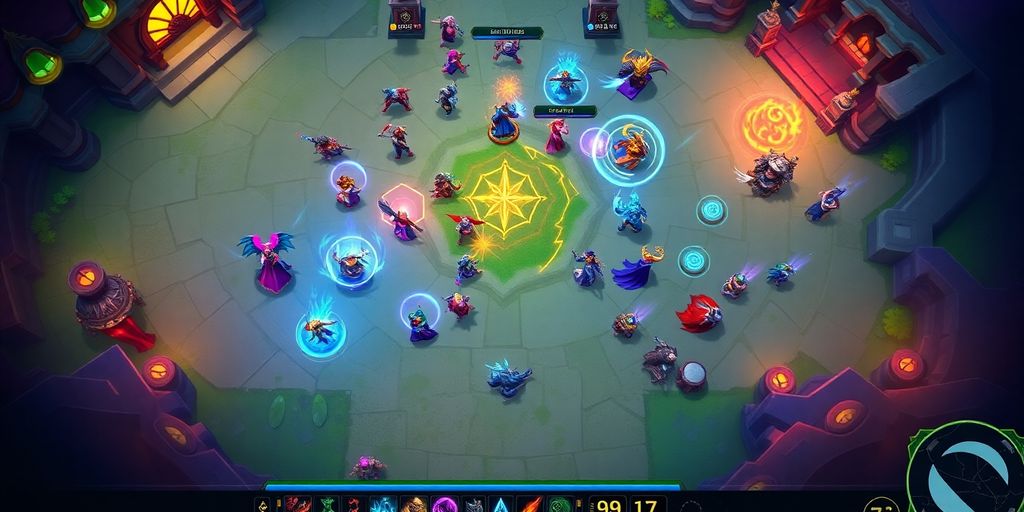
Alright, you’ve downloaded League of Legends and created your account. Now what? Let’s get familiar with the game client. It might seem a little overwhelming at first, but don’t worry, it’s pretty easy to get the hang of.
First-Time Client Launch and Updates
So, you’ve double-clicked that shiny new League of Legends icon. The first thing that’s gonna happen is a hefty update. Make sure you have a stable internet connection, because this can take a while. The client needs to download all the latest game files, patches, and content. You’ll see a progress bar, and maybe even get a chance to read some news while you wait. Once it’s done, you’ll be prompted to log in with the Riot Games account you created earlier.
Exploring Client Features and Settings
Okay, you’re logged in! Now you’re staring at the main screen. There’s a lot to see here. Let’s break it down:
- Profile: This is where you can see your summoner name, level, ranked stats, and customize your profile with icons and emotes.
- Store: Need a new champion? Want a cool skin? The store is where you can spend Riot Points (RP) or Blue Essence (BE) to unlock new content.
- Loot: This is where you’ll find chests, keys, and shards that you can use to unlock champions, skins, and other goodies.
- Missions: Complete missions to earn rewards like experience points, Blue Essence, and even chests.
- Play: This is the big one! Click here to queue up for different game modes like Summoner’s Rift, ARAM, and rotating game modes.
Don’t forget to check out the settings menu (usually a gear icon in the top right corner). Here, you can adjust things like graphics quality, sound volume, keybindings, and interface preferences. Tweak these settings to optimize your game for the best performance on your system.
Ensuring Proper EUW Server Connection
This is important, especially if you’ve just transferred or created a new account. You want to make sure you’re actually playing on the EUW server. Usually, the client will automatically connect you to the region you selected during account creation. But it’s always good to double-check.
If you’re experiencing high ping or connection issues, the first thing to do is check your region settings. You can usually find this option in the settings menu, under the "Region" or "Server" tab. Make sure EU West is selected. If it’s not, change it and restart the client. This simple step can save you a lot of frustration.
If you’re still having trouble, try restarting your router or contacting Riot Games support. They can help you troubleshoot any connection problems you might be experiencing.
Strategies for Changing Your League of Legends Region
Creating a New Account for EUW
The simplest way to get onto the EUW servers is to create a brand new account. This is free, but it means starting over from scratch. You won’t have any of your old skins, champions, or progress. Think of it as a fresh start in a new land. Here’s how you do it:
- Go to the Riot Games website.
- Click "Sign Up".
- Make sure you select the EU West region during the account creation process. This is important!
- Download the League of Legends client and log in with your new account.
Transferring an Existing Account to EUW
If you’ve already invested time and money into your current account, you might want to transfer it instead. This option lets you keep your skins, champions, and progress, but it comes at a cost. Riot Games charges a fee (in Riot Points, or RP) to transfer your account between regions. As of today, July 22, 2025, the cost is usually around 2600 RP, which translates to roughly $20 USD. Here’s the process:
- Log into the League of Legends client with your existing account.
- Go to the in-game store.
- Look for the "Account Transfer" option (it’s usually under the "Other" or "Account" section).
- Follow the on-screen instructions and pay the RP fee.
- Wait for the transfer to complete. This can take a few hours or even a day.
Considerations Before Region Transfer
Before you make the leap to EUW, there are a few things to keep in mind. Transfers aren’t always smooth, and there can be some unexpected consequences. Here’s a quick rundown:
- Ranked Reset: Your ranked progress will be reset. You’ll have to play placement matches again in EUW.
- Friends List: Your friends list will be wiped. You’ll need to re-add all your friends on the EUW server.
- Honor Level: Your honor level might be affected. Riot sometimes resets honor levels during transfers.
- Ping: Your ping (latency) might be higher if you’re not physically located in Europe. This can affect your gameplay experience.
It’s worth noting that some players use VPNs to try and bypass region restrictions or reduce ping. However, using a VPN is against Riot Games’ terms of service and could result in a ban. It’s generally not recommended.
Ultimately, the best way to decide whether to create a new account or transfer an existing one depends on your individual circumstances. If you’re just starting out, a new account is probably the way to go. But if you’ve got a lot invested in your current account, transferring might be worth the cost.
Optimizing Your League of Legends Experience on EUW
System Requirements for Smooth Gameplay
Okay, so you’ve got League of Legends installed. Awesome! But before you jump into a ranked game, let’s make sure your setup isn’t going to let you down. Meeting the minimum system requirements is key to a decent gaming experience. Here’s a quick rundown:
| Requirement | Minimum | Recommended |
|---|---|---|
| CPU | Intel Core i3-530 or AMD A6-3650 | Intel Core i5-3300 or AMD Ryzen 3 1200 |
| RAM | 2 GB | 4 GB |
| Graphics Card | Nvidia GeForce 9600GT or AMD HD 6570 | Nvidia GeForce 560 or AMD Radeon HD 6950 |
| Operating System | Windows 7/8/10 64-bit | Windows 10 64-bit |
| Free Disk Space | 16 GB | 16 GB SSD |
If you’re below the minimum, expect some lag. Seriously consider upgrading if you want to climb the ladder.
Troubleshooting Common Download Issues
Alright, so sometimes things go wrong. Here are a few common problems and how to fix them:
- Download Stuck: Pause and resume the download. If that doesn’t work, restart the Riot Client. Still no luck? Reinstall the client. It’s annoying, but it often works.
- Installation Errors: Make sure you have enough disk space. Also, run the installer as administrator. Compatibility mode can sometimes help too.
- Client Won’t Launch: Update your graphics drivers. Seriously, do it. Outdated drivers cause all sorts of problems. Also, check your firewall settings to make sure League isn’t being blocked.
Enhancing Connection Stability
Nobody likes lag. Here’s how to make your connection more stable:
- Use a Wired Connection: Wi-Fi is convenient, but Ethernet is way more reliable. Plug in that cable!
- Close Background Programs: Streaming videos, downloading files, or having a million browser tabs open can eat up your bandwidth. Close anything you don’t need.
- Check Your Router: Restart your router. It’s the oldest trick in the book, but it often works. Also, make sure your router’s firmware is up to date.
- Consider a VPN: A VPN can sometimes help reduce lag by routing your connection through a more direct path to the game server. It’s not a guaranteed fix, but it’s worth a try.
Having a stable connection is super important. I remember one time, I was in a crucial ranked game, and my internet died right as I was about to make a play. We lost, and I dropped in rank. Don’t let that happen to you!
Post-Installation Steps and First Game
Completing the In-Game Tutorial
Alright, you’ve downloaded League, installed it, and even made an account. Now what? Don’t just jump into a real game! The in-game tutorial is there for a reason. It’s not the most exciting thing ever, but it will teach you the basics. You’ll learn how to move your champion, use abilities, and destroy enemy structures. Think of it as League of Legends 101. Seriously, do it. You’ll thank yourself later.
Understanding Basic Gameplay Mechanics
Okay, tutorial done. Now you need to understand what’s actually going on in a League of Legends match. It’s more than just running around and clicking on things. Here are a few key things to keep in mind:
- Last Hitting: This means getting the final blow on minions (those little guys that run down the lanes). Last hitting gives you gold, which you use to buy items. More items = more power.
- Objectives: The main objective is to destroy the enemy Nexus (their base). But to get there, you’ll need to take down towers and inhibitors. These structures protect the Nexus and make it harder to reach.
- Teamwork: League is a team game. You need to work with your teammates to win. Communicate, coordinate, and help each other out. Don’t be a lone wolf!
League of Legends can seem overwhelming at first, but don’t worry. Everyone starts somewhere. Focus on learning the basics, and don’t be afraid to ask for help. There are tons of resources online, like guides and videos, that can help you improve.
Joining Your First Match on EUW
Ready to play your first real game on the EUW server? Here’s how to do it:
- Click the "Play" button in the client.
- Choose a game mode. For your first game, I recommend "Co-op vs. AI." This pits you against computer-controlled opponents, which is a good way to practice without getting flamed by other players.
- Select your champion. Pick someone who looks cool or interesting. Don’t worry too much about picking the "best" champion. Just have fun!
- Wait for the game to start. Once everyone has loaded in, you’ll be transported to Summoner’s Rift, the main map in League of Legends.
- Play the game! Try to last hit minions, destroy towers, and work with your team to defeat the enemy. Don’t be afraid to experiment and try new things. And most importantly, have fun!
Good luck, and welcome to the Rift!
Final Thoughts
So, there you have it. Getting League of Legends set up on EUW in 2025 is pretty simple. Just follow the steps, and you’ll be playing in no time. Whether you’re new to the game or coming back after a break, the process is straightforward. Now you can jump into the action and enjoy the game.
Frequently Asked Questions
Why are there different League of Legends regions?
League of Legends uses different servers, called regions, to make sure players have a good connection and to keep game communities together. If you play on a server far away, your game might be slow or laggy. Also, your account and all your stuff are tied to the region you picked when you first signed up.
Is my League of Legends account stuck in one region?
Yes, your League of Legends account is locked to the region you chose when you created it. You can’t just switch regions whenever you want. You either need to make a new account for a different region or pay a fee to move your existing account.
What’s the best way to get on the EU West server?
The easiest way is to make a brand new Riot account and pick the EU West region when you set it up. This is free, but you’ll start over with no progress or items. The other way is to pay a fee (using Riot Points) to transfer your current account to EU West, but this can be costly and sometimes has limits.
Can I change my League of Legends region for free?
If you create a new account, it’s free. However, you’ll lose all your champions, skins, and progress. If you want to move your existing account, you’ll need to buy Riot Points (RP) and pay a transfer fee. So, it’s usually not free to move an account with all your stuff.
How do I check what region my League of Legends account is in?
To find out your current region, open the League of Legends game client. On the main screen, look at the top right corner, near your summoner name. Your region should be displayed there.
What does playing on EU West mean for me?
Playing on EU West means you’ll be on servers located in Europe, which usually gives players in that area a better connection. You’ll also be playing with other European players, which can change the game’s style and community feel compared to other regions.