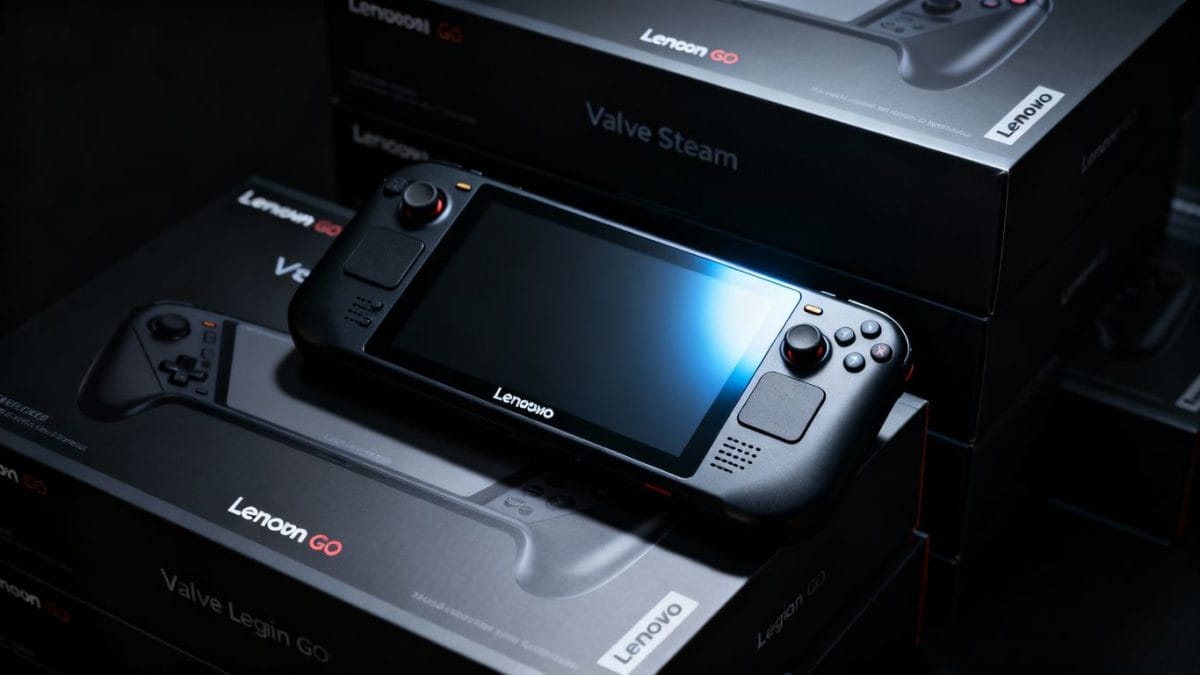
The Legion Go is Lenovo’s powerful handheld gaming PC, basically a small Windows 11 computer you can hold in your hands to play PC games anywhere, with a big, clear screen and detachable controllers that make it more flexible than many other handhelds. In this guide, you’ll learn what the Legion Go is, how well it runs games, how it compares to rivals like the ROG Ally, and whether it’s worth buying in 2026, especially now that a major Black Friday discount makes it even more tempting. At the same time, the handheld gaming world is being shaped by companies like Valve (maker of Steam and Steam Deck), which reportedly earns almost $50 million per employee, underscoring just how big and fast this market has become.
What Is Legion Go?
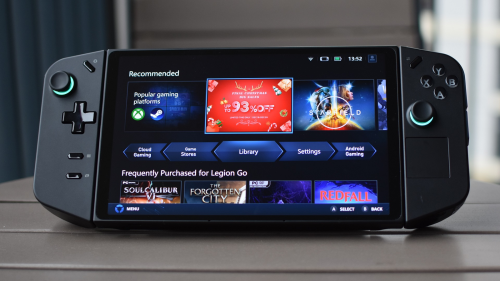
Legion Go is a handheld gaming PC from Lenovo that works like a small Windows 11 computer you can hold in your hand and use to play PC games anywhere. It has a large, clear screen, detachable controllers, and enough power to run modern games, making it different from regular handheld consoles. Because it runs Windows, you can install games from Steam, Xbox Game Pass, and other PC platforms, and even use it like a normal computer when needed.
Valve’s Unprecedented Revenue Per Employee
Some new reports say Valve (a private company) might make about $17 billion this year, even though it has only about 350 workers. If this is true, it means Valve earns about $50 million per worker, which is far more than many big technology companies. For example, Microsoft reportedly pays about $18 million per worker, while companies like Apple and Meta reportedly pay even less. Here are the main points in very simple words:
- Steam is the biggest reason: Steam alone is estimated to have made more than $16.2 billion so far this year.
- Valve’s own share: Valve also earns money from Steam fees and from its own games like CS2 and Dota 2, and this part is estimated to be over $4 billion this year.
- High staff pay: Valve is known for paying employees very well. Reports say it may spend about $450 million on salaries, averaging about $1.3 million per employee.
- Private company benefit: Because Valve is not public, it does not have to focus on pleasing shareholders every three months, so it can focus more on the long term and take better care of employees.
- Different company style: Valve is also known for its flat structure, meaning fewer bosses and more teamwork rather than a strict management ladder.
Lenovo Legion Go Black Friday Discount
If you want a strong handheld gaming device, there is a big Black Friday discount on the Lenovo Legion Go. Right now, the Z1 Extreme model is $250 cheaper, bringing the price to $649.99 at Best Buy, the lowest price seen for this version.
- Key Features: The discounted model boasts an AMD Ryzen Z1 Extreme processor, 32GB of RAM, and 512GB of storage. It features an 8-inch 120Hz display, offering a superior visual experience compared to some competitors.
- Performance: The Legion Go is considered a strong alternative to the Steam Deck, with its more powerful processor and higher refresh rate display contributing to enhanced gaming performance.
- Charging: The device supports fast charging, with a maximum input of 100W if the appropriate charger is used.
This model includes an AMD Ryzen Z1 Extreme chip, 32GB RAM, and 512GB storage, plus an 8-inch screen with a 120Hz refresh rate, so games can look smoother and clearer than on some other handhelds.
Many gamers see the Legion Go as a good alternative to the Steam Deck because it has a stronger processor and a faster screen, which can help games run better. It also supports fast charging, and it can charge up to 100W with the right charger.
Overall, the mix of Valve doing very well financially and this big Legion Go deal shows how exciting and fast-changing PC gaming is right now.
Red More:
Best games for Legion Go
The Legion Go can play many popular games, so you can have fun anywhere you go. Some of the best games for Legion Go are:
Cyberpunk 2077, if you like big action worlds,
Elden Ring, if you want a hard adventure game,
Fortnite or Apex Legends, if you enjoy fast-shooting games with other players.
You can also play story games like Horizon Zero Dawn, which looks very beautiful.
The Legion Go also runs popular and easy games like Minecraft and Stardew Valley, as well as big games like The Witcher 3 and Baldur’s Gate 3. Because the Legion Go uses Windows, you can download games from Steam, Xbox Game Pass, and many other game stores, so you will always have lots of choices.
Is Legion Go a Gaming PC or a Console?
The Legion Go is a gaming PC (laptop) . When you hold it in your hands, it feels like a game console, but it is really a full Windows computer, especially when you connect it to other devices. You can install game mods, use apps like Discord, Chrome, and OBS, and plug in a keyboard, mouse, and monitor to use it like a normal PC. You can also connect extra power devices through a USB-C dock. This freedom is a big reason many people choose the Legion over consoles with more limitations.
Legion Go vs ROG Ally
| Feature | Legion Go | ROG Ally |
| Screen Size | 8.8″ QHD+ | 7″ FHD |
| Controllers | Detachable | Fixed |
| FPS Mode | Yes | No |
| Portability | Larger | More compact |
| Windows | Yes | Yes |
Choose the Legion Go if you want a bigger screen, detachable controllers, and a more fun, immersive gaming experience. Choose the ROG Ally if you want a device that is smaller and lighter, and you want the software to feel a little better and smoother right away without changing many settings.
Frequently Asked Questions
Is Legion Go better than Steam Deck?
The Legion Go is more powerful and runs Windows, so it can do more, but the Steam Deck is easier to use and usually has better battery life.
Can Legion Go replace a gaming laptop?
Yes, it is good for light and medium gaming, as well as basic work, especially when you connect it to a dock and use it like a normal computer.
Does Legion Go support Xbox Game Pass?
Yes. Because it uses Windows, you can use Xbox Game Pass on it easily, just like on a normal computer.
Can you connect Legion Go to a TV?
Yes, you can do it with a USB-C dock or a USB-C hub with an HDMI port.