Fortnite live events are pretty epic, right? They’re like the big finale for each season, and honestly, they’re a huge part of what makes the game so much fun. Epic Games really knows how to put on a show, bringing everyone together for these big story moments. If you’re looking to catch the next big Fortnite live event, you’ll want to be ready. It’s not just about logging in; there’s a little bit of prep involved to make sure you don’t miss a single second of the action. This guide will walk you through what you need to know.
Key Takeaways
- Fortnite live events usually happen in a special game mode that pops up shortly before they start. You can hop in early to wait with other players.
- It’s a good idea to update your game a few hours before the event and log in about 30 minutes ahead of time. This helps avoid server issues and connection problems.
- Try to be in a game about 15 minutes before the event countdown ends. Once you’re in, don’t leave the match, or you might not be able to get back in.
- Pay attention to in-game announcements and official Fortnite channels for exact dates, times, and any special playlists you need to join for the next Fortnite live event.
- These events often involve story changes, and sometimes new gameplay elements or map updates are introduced, so staying informed is key to enjoying the full experience.
Understanding the Fortnite Live Event Structure
Fortnite live events are a big deal, acting as major story beats that wrap up seasons or kick off new ones. They’re not just cutscenes; they’re interactive moments designed for everyone playing to experience together. Think of them as the game’s way of saying, ‘Hey, something huge is happening, and you’re all invited!’
The Role of Special Playlists
When a live event is announced, Epic Games usually sets up a special playlist. This playlist pops up in the game a little while before the event is scheduled to start. It’s your ticket in. You’ll join this playlist, and instead of a regular match, you’ll find yourself in a pre-show lobby. This lobby is where you hang out with other players who are also waiting for the event to begin. It’s a good idea to get in early, maybe 30 minutes or so before the event is supposed to kick off. Why? Because these events draw in millions of players all at once, and those special lobbies fill up fast. Securing your spot in the pre-show lobby is key to not missing out. Once the event starts, regular gameplay usually pauses, and everyone is moved into position to witness the unfolding events.
In-Game Announcements and Notifications
Epic Games doesn’t usually let players miss out on these big moments. You’ll typically see announcements pop up right inside the game itself, letting you know when an event is happening and how to join. These aren’t just subtle hints; they’re usually pretty clear messages. You might also get notifications through Fortnite’s official social media channels, so keeping an eye on those is a good practice if you want to stay in the loop. These announcements serve as the primary way players are alerted to the existence and timing of these special events.
Community Experience and Shared Moments
One of the coolest parts about Fortnite live events is that everyone experiences them at the same time. It creates this massive, shared moment across the entire player base. You might be moved to a specific spot on the map where the story unfolds, or you might have a bit of freedom to move around. Sometimes, there are even short interactive bits that guide you through what’s happening. These elements, combined with cinematic scenes, are all put together to make sure everyone feels like they’re part of the same unfolding narrative. It’s this collective experience that really makes the events memorable and sets Fortnite apart.
Preparing Your Game for the Event
Getting ready for a Fortnite live event involves more than just marking your calendar. To ensure you have the best possible experience and don’t miss any of the action, it’s important to prepare your game client and your connection well in advance. This section will guide you through the necessary steps to be ready when the event begins.
Importance of Game Updates
Fortnite live events often coincide with significant game updates. These updates can introduce new content, fix bugs, and sometimes even alter core game mechanics. It is vital to ensure your game is fully updated several hours before the event is scheduled to start. This prevents last-minute download issues that could cause you to miss the event entirely. Checking for updates a day or two prior is a good practice, but aim to have the latest version installed at least 2-3 hours before the event begins.
Optimal Login Times
Live events draw millions of players simultaneously, which can strain game servers. To avoid connection problems or being locked out due to server overload, logging in early is highly recommended. Aim to be in the game and in the special event playlist approximately 30 minutes before the scheduled start time. This buffer allows you to secure your spot and wait in the pre-show lobby without the rush. For regions with smaller player bases, consider logging in even earlier to ensure matchmaking is successful.
Securing Your In-Game Position
Once you have successfully logged in and joined the correct event playlist, your next step is to secure your position. You will typically be placed in a special lobby or directly into a match that leads into the event. Do not disconnect or leave this match once you are in. Leaving could mean you are unable to rejoin the event, especially if server queues become long. Find a safe spot within the game environment if you are placed in a match, or simply wait patiently in the lobby. The game will usually handle moving you to the event area automatically when the time comes.
Navigating the Event Experience
Attending a Fortnite live event is an experience unlike any other in the game. Epic Games puts a lot of effort into making these moments feel special and shared. Here’s how to make sure you’re ready to witness whatever unfolds.
Joining the Pre-Show Lobby
Shortly before a live event is scheduled to begin, a special playlist will appear in the game’s Discovery tab. This is your gateway to the event. It’s highly recommended to join this playlist at least 30 minutes, if not more, before the event’s start time. Why? Because these events draw in millions of players simultaneously, and lobbies fill up incredibly fast. Securing your spot early is key to not missing out. Once you’re in, you’ll likely find yourself in a pre-show lobby with other players, waiting for the main event to kick off. It’s a good time to chat with friends or just soak in the atmosphere.
Understanding Gameplay Pauses
When the live event begins, normal gameplay in the special playlist will typically pause. This isn’t a glitch; it’s intentional. The game shifts focus entirely to the unfolding narrative or spectacle. You might be moved to a specific location on the map where the story is set to play out, or you might find yourself with limited movement options. This pause allows everyone to witness the event without the usual distractions of combat or resource gathering.
Interactive Storytelling Elements
Fortnite live events aren’t just passive viewing experiences. Epic Games often incorporates interactive elements to make players feel more involved. This can range from simple actions like pressing a button at a specific time to more complex sequences where you might need to follow on-screen prompts or make choices. These interactive moments, combined with cinematic cutscenes, are designed to create a memorable, shared narrative that everyone experiences together. It’s this blend of spectacle and participation that makes attending live events so engaging.
Key Considerations for Attending
Attending a Fortnite live event is an exciting prospect, but a few practical points can help make the experience smoother. Being prepared for potential technical hiccups and understanding the event’s unique structure are vital for full enjoyment.
Avoiding Disconnections During the Event
Experiencing a disconnection during a live event can be incredibly frustrating, especially when you’ve logged in early and secured a good spot. To minimize this risk:
- Ensure your internet connection is stable. A wired connection is generally more reliable than Wi-Fi. If using Wi-Fi, try to be as close to your router as possible and minimize other devices using the network simultaneously.
- Close unnecessary background applications on your PC or console. These can consume bandwidth and processing power, potentially impacting your game’s performance and stability.
- Avoid making significant changes to your network settings or downloading large files just before or during the event. Such actions can disrupt your connection.
While Epic Games works to maintain server stability for these massive events, player-side issues can still arise. Proactive steps to secure your connection are always a good idea.
Joining the Correct Event Playlist
Fortnite live events typically utilize a dedicated playlist that appears in the game shortly before the event begins. It’s important to join this specific playlist to participate.
- Monitor in-game announcements: The game will usually notify players when the event playlist is available.
- Check the ‘Discovery’ tab: The event playlist will be prominently featured here, often with a unique icon or banner.
- Join early: As mentioned, these playlists fill up quickly. Aim to join at least 30 minutes before the scheduled start time to guarantee your spot.
Potential for Limited Interaction
During live events, the focus shifts from standard gameplay to experiencing the unfolding narrative. This often means certain gameplay mechanics are altered or temporarily disabled.
- Gameplay Pauses: Normal matches are usually paused, and players are moved to specific locations or put into a spectator mode to witness the event unfold.
- Restricted Actions: You might find that you cannot shoot, build, or use certain items. This is intentional to ensure all players have the same viewing experience and to prevent disruption of the event’s narrative.
- No Griefing: In many cases, other players in the event playlist cannot harm you. This creates a shared, communal atmosphere where everyone can focus on the event itself.
Anticipating Future Fortnite Live Events
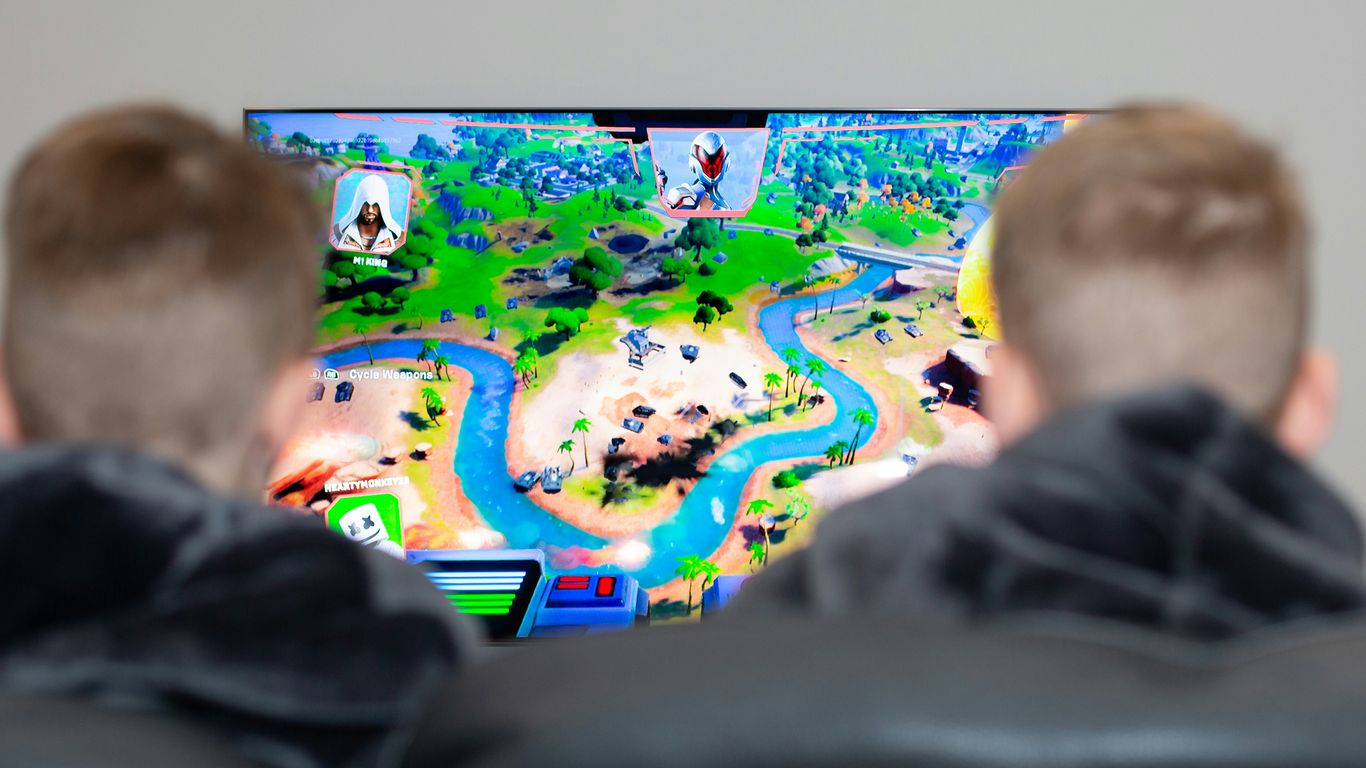
Fortnite’s live events are more than just a seasonal finale; they are narrative turning points that shape the game’s ongoing story. Understanding how these events tie into the larger plot can significantly deepen your appreciation for the game. Epic Games consistently weaves intricate storylines, often involving recurring characters and factions like The Seven, into these spectacular in-game moments. Paying attention to character roles and their motivations is key to grasping the full narrative arc.
Storyline Integration and Character Roles
Future events will likely continue to build upon established lore. Characters such as The Foundation, the Ice King, or the Dark Voyager have played significant roles in past narratives and can be expected to reappear. Their actions and decisions during live events often dictate the direction of subsequent seasons. For instance, the collection of Zero Shards by the Dark Voyager in a past event directly influenced conflicts and character alignments.
Potential Map and Gameplay Changes
Live events are frequently catalysts for substantial changes within the Fortnite island. These can range from minor cosmetic alterations to complete overhauls of existing locations or the introduction of entirely new areas. Furthermore, gameplay mechanics, weapon pools, and even movement systems can be updated to reflect the narrative’s progression. For example, the introduction of new movement items has been hinted at to improve player mobility and team coordination.
Staying Informed on Official Channels
To accurately anticipate and prepare for upcoming events, it is vital to monitor official Fortnite communications. This includes:
- In-game announcements and news feeds.
- Official Fortnite social media accounts (e.g., X, formerly Twitter).
- The Fortnite Battle Royale news tab.
- Developer blogs and official website updates.
The timing and nature of these events are often kept under wraps until closer to their release, making consistent monitoring of official sources the most reliable method for staying ahead of the curve. This proactive approach ensures you are well-prepared for any narrative shifts or gameplay evolutions.
Timing Your Participation
Getting the timing right for a Fortnite live event is pretty important if you want to catch all the action without any hitches. It’s not just about knowing when the event starts, but also about being prepared beforehand.
Understanding Event Timings Across Regions
Fortnite events happen globally, and the start time can vary quite a bit depending on where you are. Epic Games usually announces the official time in Eastern Time (ET), but you’ll need to figure out what that means for your local zone. It’s a good idea to check a world clock or a reliable Fortnite news source to get the exact time for your region. For instance, an event at 3:00 PM ET might be 8:00 PM GMT in the UK or even the next day in parts of Asia.
Here’s a general idea of how times can differ:
| Region | Example Time Zone | Local Start Time (approx.) |
|---|---|---|
| North America | ET | 3:00 PM |
| PT | 12:00 PM | |
| Europe | GMT | 8:00 PM |
| CET | 9:00 PM | |
| Asia | IST | 12:30 AM (next day) |
| Oceania | AEST | 5:00 AM (next day) |
Utilizing Countdown Clocks
Most of the time, the Fortnite client itself will have a countdown clock visible on the main menu or within the event playlist. This is your best bet for real-time updates. These clocks are usually very accurate and will tick down to the exact moment the event begins. Keep an eye on it as the event approaches, and don’t wait until the last minute to log in.
Logging in too close to the event start time can lead to server queues or connection issues, potentially causing you to miss the beginning of the show. It’s always better to be early and wait.
Early Matchmaking for Smaller Regions
If you’re in a region with a smaller player base, like Oceania or parts of South America, you might want to start matchmaking a bit earlier than recommended for larger regions. Servers in these areas can sometimes take longer to fill up, or the matchmaking might be less consistent. Getting into a match 20-30 minutes before the event starts can help ensure you secure a spot and are ready when the action kicks off. This gives you time to settle in and avoid any last-minute scramble.
Wrapping Up Your Event Prep
So, there you have it. Getting ready for a Fortnite live event is all about being a little bit prepared. It’s not super complicated, but doing a few things ahead of time can make a big difference. Make sure your game is updated, log in early, and get into that special playlist before things get too busy. These events are a big part of what makes Fortnite special, bringing everyone together for a unique experience. By following these simple steps, you’ll be all set to enjoy whatever Epic Games has planned next. Keep an eye out for announcements, and you’ll be ready to jump right in when the time comes.
Frequently Asked Questions
What exactly is a Fortnite live event?
Fortnite live events are special in-game moments where everyone playing can witness a big story moment happen all at once. Think of it like a movie premiere, but you’re inside the game watching it unfold with thousands of other players. These events usually wrap up a season or start a new chapter in the game’s story.
How do I make sure I can join a live event?
To join, you’ll need to update your game a few hours before the event. Then, log in about 30 minutes early to avoid any connection problems. Try to be in a match about 15 minutes before the event starts. It’s also super important not to leave the match once you’re in, or you might not be able to get back in.
What happens during the event itself?
Usually, normal gameplay stops so everyone can focus on the event. You might be moved to a special spot on the map, or you might be able to move around a bit. There will be cool cutscenes and interactive parts that help tell the story. It’s all about experiencing the story together.
Can I play with my friends during a live event?
Yes, you can usually join the special event playlist with your friends. It’s a good idea to get your team together and join the lobby early to make sure you all get in and can experience the event together without missing any parts.
What if I miss the event or get disconnected?
If you miss the live event, don’t worry too much! Epic Games often puts out a recap or makes certain parts of the event available later. If you get disconnected, try to log back in as quickly as possible, but sometimes it’s hard to rejoin if the event is already far along.
How do I find out about future live events?
The best way to stay updated is to follow Fortnite’s official social media accounts (like Twitter or Instagram) and check their news blog. They usually announce events well in advance, giving you plenty of time to prepare your game and your schedule.